Enhancing Workflow Efficiency with the Remote Work Icon Set
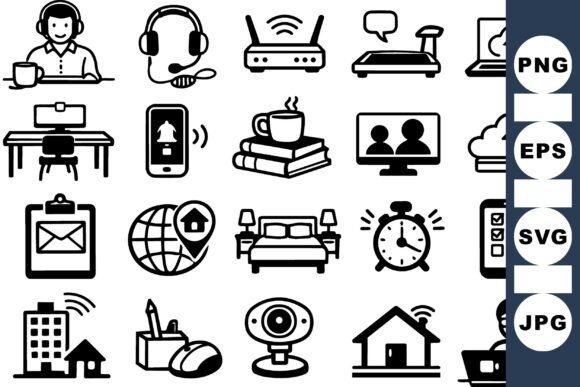
The Remote Work Icon Set is a collection of flat, minimal, and monochrome icons that visually represent the modern home office and remote work environment. Designed for clarity and consistency, this icon set includes SVG, EPS, JPG, and PNG file formats, making it versatile for use in web design, mobile apps, presentations, and digital documentation. Whether you're building a productivity platform, designing a remote collaboration tool, or creating educational materials, these icons provide a clean visual language that supports seamless user experiences.
Understanding the Role of Visual Consistency in Remote Work Tools
In digital environments where remote teams and independent professionals operate, visual consistency plays a crucial role in usability and comprehension. The Remote Work Icon Set offers a unified design system that aligns with contemporary UI/UX standards. By using a common visual vocabulary—such as icons for laptops, headsets, calendars, and cloud storage—you can reduce cognitive load and improve navigation for users across platforms.
This set is especially useful when developing dashboards, task management interfaces, or communication hubs where visual cues need to be instantly recognizable. When icons are consistent in style and meaning, users spend less time interpreting symbols and more time engaging with the tools that support their workflow.
Integrating the Icon Set into the Design Process
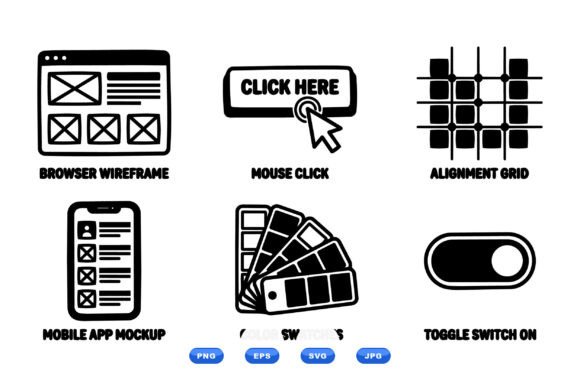
Designers and developers can integrate the Remote Work Icon Set at various stages of the creative process. During the planning phase, these icons can be used in wireframes and mockups to represent key features or functions. Their minimal and scalable format allows for easy placement in layout prototypes, ensuring that visual hierarchy and functionality are aligned from the start.
- Use SVG files in vector-based design tools like Figma or Adobe Illustrator for high-fidelity mockups.
- Implement PNG or JPG versions in early-stage prototypes for quick visual testing.
- Leverage EPS files for print or vector-based workflows when creating physical materials or branded assets.
By embedding these icons early in the design process, you establish a visual foundation that can be refined and scaled alongside your project’s development lifecycle.
Compatibility and Cross-Platform Use
One of the strengths of the Remote Work Icon Set is its compatibility across platforms and tools. Because the icons are available in multiple formats, they can be easily integrated into both web and native applications. Developers can use SVG files for responsive web design, ensuring crisp visuals across screen sizes and resolutions. Designers working in mobile app development environments can import PNG or EPS files into tools like Sketch or Android Studio with minimal effort.
For content creators and educators, the icon set works well in slide decks, infographics, and instructional materials. Their monochrome style ensures they blend well with various color schemes, allowing for customization without compromising visual integrity.
Practical Applications Across Workflows
The Remote Work Icon Set is not limited to software or app development—it also serves as a valuable asset for marketers, educators, and business owners who need to communicate remote work concepts clearly. Whether you're creating a branding package, developing training content, or designing a productivity blog post, these icons help convey ideas in a visually engaging way.
- Use icons in landing pages to highlight remote collaboration tools or services.
- Incorporate them into email newsletters to visually represent productivity tips or work-from-home resources.
- Embed them in educational materials to illustrate concepts like time management, communication tools, or workspace setup.
By aligning visual elements with content goals, you enhance both engagement and comprehension, making your message more accessible and impactful.
Streamlining Workflow with Icon Organization
Effective use of the Remote Work Icon Set depends not only on design quality but also on how well the icons are organized and implemented. To streamline your workflow, consider the following practices:
- Create a centralized asset folder with clearly labeled file names for each icon type.
- Use a naming convention that reflects the function or category of each icon (e.g., “icon-laptop,” “icon-video-call”).
- Group icons by use case—such as communication, productivity, or collaboration—to simplify selection during design or development.
By maintaining a well-structured icon library, you reduce the time spent searching for the right visual asset and ensure consistency across your digital products or content.
Ensuring Quality and Long-Term Usability
As with any design asset, the long-term usability of the Remote Work Icon Set depends on maintaining quality and relevance over time. Since the set includes vector formats (SVG and EPS), you can scale icons to any size without losing clarity, making them future-proof for evolving design standards.
Additionally, because the icons are monochrome and minimal, they are less likely to become outdated compared to more stylized or detailed graphics. This timeless quality ensures that your design materials remain visually cohesive even as trends shift.
When updating or expanding your use of the icon set, consider maintaining a version control system for design files and documentation. This helps ensure that team members or collaborators are always using the most current assets and that design decisions remain transparent and traceable.
Connecting with Broader Workflow Strategies
The Remote Work Icon Set functions best when it's part of a broader design and workflow strategy. Whether you're developing a productivity app, building a remote work resource hub, or creating visual content for a blog, the icons should align with your overall user experience goals.
For instance, if you're designing a task management tool, the icons can serve as visual cues for different functions—such as reminders, file sharing, or team communication. In a learning platform, they can represent modules related to time management, virtual collaboration, or self-improvement. By integrating the icon set into a consistent visual system, you reinforce the usability and clarity of your digital tools.
Moreover, the icon set can be paired with other design systems or UI kits to create a more comprehensive visual language. When combined with typography, color palettes, and layout templates, these icons contribute to a polished and professional aesthetic that enhances user trust and engagement.
Final Thoughts on Implementation
Incorporating the Remote Work Icon Set into your workflow is more than a design choice—it’s a strategic decision that impacts usability, efficiency, and brand consistency. Whether you're a developer, designer, educator, or marketer, these icons offer a flexible and scalable solution for communicating modern remote work concepts.
By understanding how and when to use each format, organizing your assets effectively, and aligning the icon set with broader design and content strategies, you can create digital experiences that are both functional and visually compelling. As remote work continues to shape how we collaborate and create, having a reliable visual toolkit like this becomes an essential part of the modern professional landscape.